 ScanerOne
Scan, print and share documents — made for CSC centres and shops
One free app for everyday paperwork: clean scans, passport photos with a new background, PAN and Aadhaar printed at real card size, photos sized to the KB for exam forms, and every PDF tool you need.
Free · No account needed · Your scans stay on your phone · 12 Indian languages
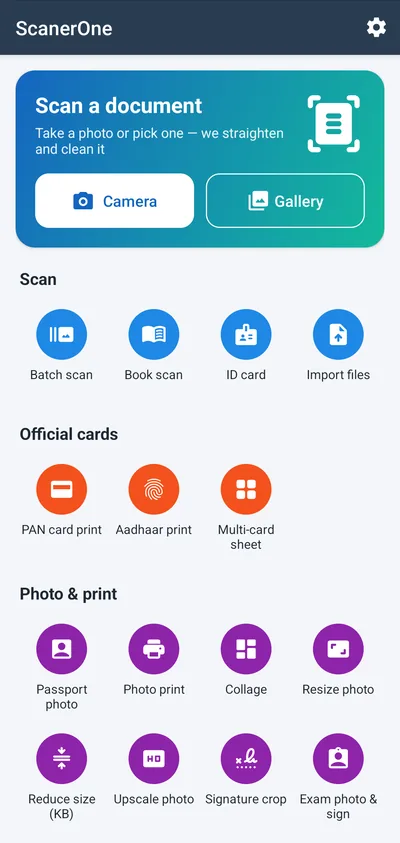
Every tool on the home screen
No menus to dig through — tap the tool you need. Everything works on the phone, most of it even without internet.
Scan
- Live page outline — camera finds the edges, you press the button
- Batch scan many pages in one go
- Book scan splits an open book into two pages
- ID card front and back on one page
- Clean-up filters: Magic colour, B&W document, remove shadows
- Import photos and PDFs from your phone
Official cards
- PAN card print at real card size (85.6 × 54 mm)
- Aadhaar print from a scan or the e-Aadhaar PDF — unlock, auto-crop, print
- Multi-card sheet: several customers' cards on one A4
- Cut lines and black & white printing to save ink
Photo & print
- Passport photo: India, US/visa, PAN, stamp sizes; white or blue background
- Photo print on 4×6, 5×7, A4 and more — fill the sheet with copies
- Collage, resize, reduce to KB, upscale
- Signature crop on white or transparent
- Exam photo & sign: SSC, UPSC, IBPS, RRB, NEET, JEE, PAN sizes
PDF tools
- JPG to PDF with page size, margins, page numbers and password
- PDF to JPG, merge, compress, organize pages
- Sign PDF with your drawn signature
- Add / remove watermark, password lock and unlock
- Trim margins so text prints bigger
Share
- Share as link — send big PDFs as a download link
- Files delete themselves after 5 days, or earlier with one tap
Utilities
- Scan to text in English and Hindi/Marathi — copy, share or save
- QR scanner for UPI, Wi-Fi, links and barcodes
- Browser for government portals: download forms, upload scans, print pages
My files
- Search and sort documents and PDFs
- Customer folders: keep each customer's papers together, clear them when done
See it in action
Real screens from the app.
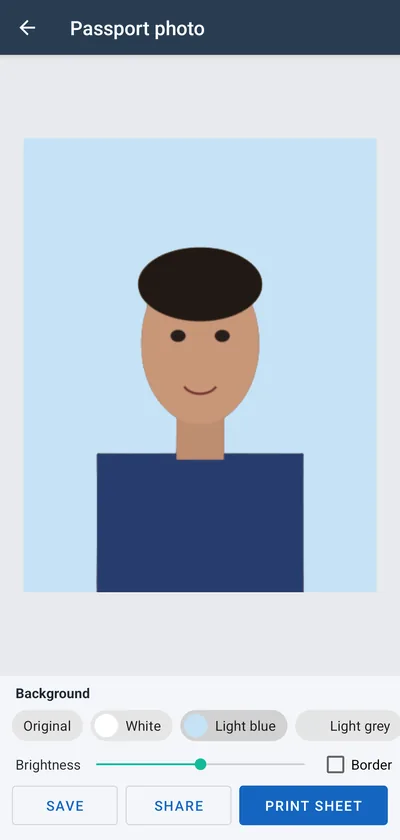
Passport photo
Background removed and replaced in one tap.
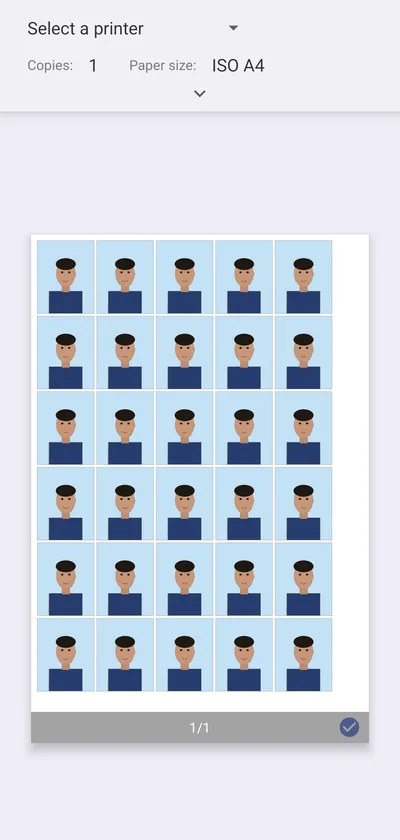
30 photos on one A4
Printed at exact size, ready to cut.
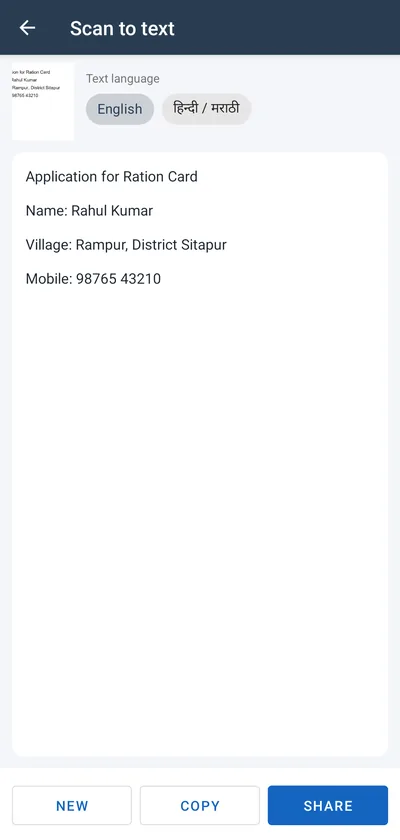
Scan to text
Copy text from any paper into a message or form.
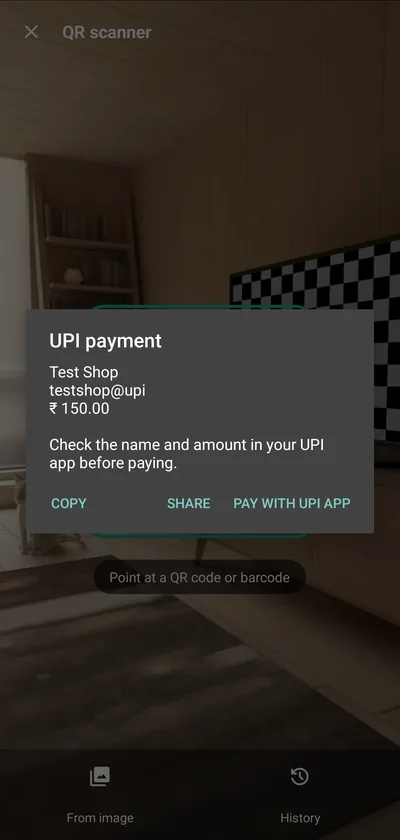
QR scanner
See who you pay before your UPI app opens.
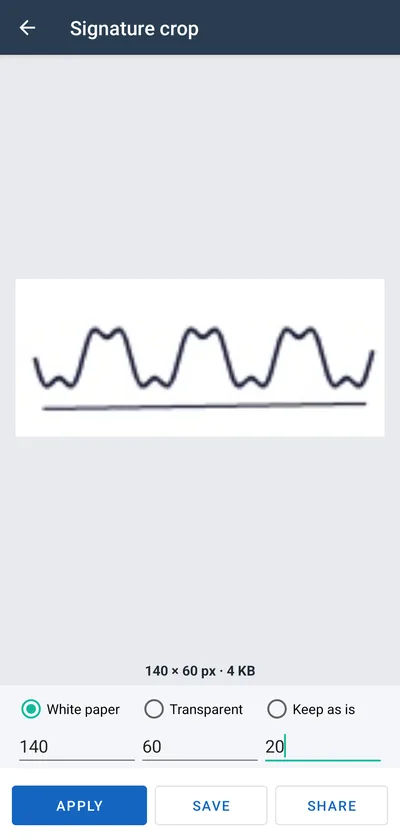
Signature for forms
Exact pixels and KB for online applications.
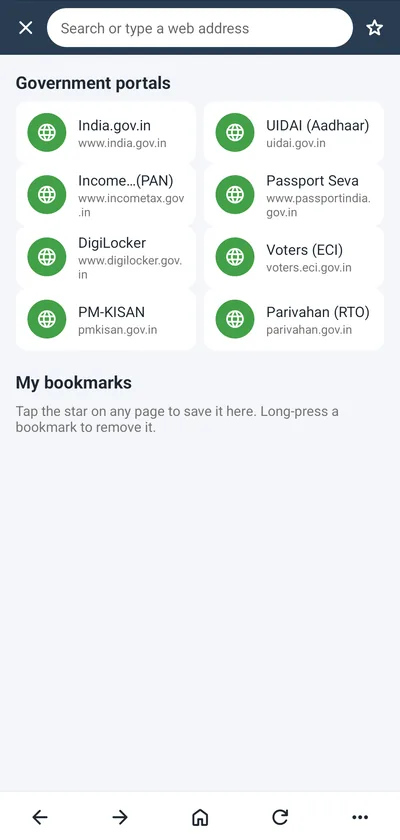
Portal browser
Download forms into the app, upload your scans.
Built for CSC centres, cyber cafés and photo shops
The jobs customers walk in with every day, each a few taps away.
In your language
Pick your language the first time you open the app, or change it any time in Settings.
Questions
Is ScanerOne free?
Yes. All tools are free. The app shows ads to pay for itself. There is no paid version and no account.
Are my documents uploaded anywhere?
No. Scans and PDFs stay on your phone. A file leaves it only when you share it yourself, or when you choose Share as link — that one file goes to our server and is deleted after 5 days. See the privacy policy.
Does it work without internet?
Scanning, filters, printing, PDF tools and photo tools work offline. Scan to text, QR scanning and passport background change need Google Play services, which download their models once.
Will printed cards and photos be the right size?
The app makes the PDF at exact size and selects the paper for you. In the print dialog keep the scale at 100% / "Actual size".
Is this a government app?
No. ScanerOne is an independent app and is not affiliated with any government department, UIDAI or the Income Tax Department. Use official portals for applications.